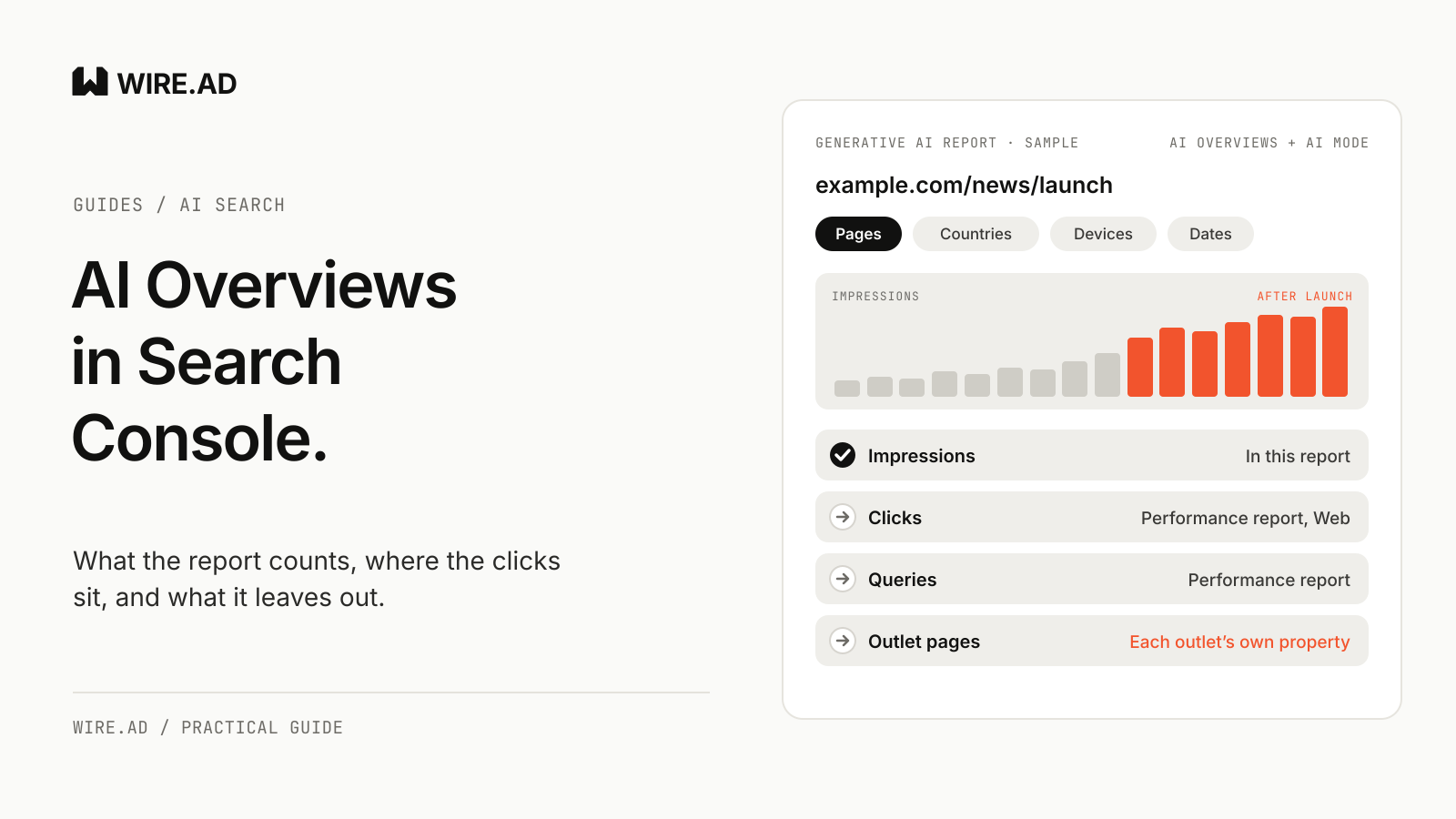
Search Console shows AI Overviews data in its generative AI performance report, which counts how often links to your pages appeared in AI Overviews and AI Mode, by page, country, device and date. It reports impressions only. Clicks from AI Overviews and AI Mode are counted, but they sit inside the regular Performance report, mixed with every other web result.
For a launch team that means the report can tell you whether your own announcement page is being shown in Google’s AI answers. It cannot tell you how many buyers clicked from there, and it does not count citations of the outlet pages that carried your news.
What the generative AI report counts
Google announced the report on June 3, 2026, tested it on a subset of sites, and rolled it out to all websites on August 31. The help page defines its one metric plainly: impressions “are how many times links to your site were shown to a user in a generative AI feature on Google Search.” AI Overviews and AI Mode are counted together. Discover has its own report.
You can group the data four ways:
- Pages, by the final URL after redirects, usually the canonical.
- Countries, by where the search came from.
- Devices: desktop, tablet or mobile.
- Dates, in Pacific Time, by day, week or month (Google’s launch post also lists hourly).
A few details change how you read the totals. The chart counts one impression per site, so two of your pages in the same AI Overview count once there, while the page table counts each page. The usual 1,000-row limit applies. Values shown as “~” or “-” export as zeros. Search Labs experiments are left out.
There is also a threshold. The report may not appear at all, and Google says this usually happens when a site hasn’t had enough impressions, so a young product domain may not see it yet. Google adds that a missing report can also mean the site was excluded with the Search generative AI control. Open Search Console today and note whether the report exists for your property, because that is your baseline before any launch.
Your launch coverage sits in other Search Consoles
Search Console reports on the property you verified. The release on a wire, the article on a crypto outlet, the interview on a fintech site: each one sits in that outlet’s Search Console. When Google’s AI Overview cites the outlet page instead of yours, your report does not count that citation.
Google’s AI features guide says AI Overviews and AI Mode may use a “query fan-out” technique, running several related searches across subtopics before they write an answer. A buyer’s question about your category can pull in a news page, a comparison page and your own docs in one response. Your Search Console sees only the last of those.
So the report answers a narrow question: does Google show my own pages in AI answers. For the wider question, which pages Google and other assistants cite when buyers ask about your category, you need the answers themselves. Our guide on how to measure brand visibility in ChatGPT covers that method for ChatGPT, and the same question set works in AI Mode.
If you run PR for clients, this is the question you will get after the release goes out. A client’s Search Console screenshot covers the client’s site only. The outlet pages that carried the funding round or listing need to be checked in the answers themselves. Write down five buyer questions this week and save today’s answers with their cited links.
How WIRE.AD does it. Every package ends with a report that lists each placement with its label, level and role in the package. Every live page is audited for its label, links and risk wording, so you know which outlet versions exist before you start checking which ones AI answers cite. With the AI visibility service, AI answers are measured before placements go out and again four to eight weeks later, on the same buyer questions. It is a separate service, and it promises no citations.
Where the AI Overviews clicks go
Google’s blog post says the data “is included in the overall performance report, where it will continue to be tracked.” Its AI features guide adds that this traffic is reported “within the ‘Web’ search type.”
The counting rules are in the help page on impressions, position and clicks. A click on a link to an external page in an AI Overview counts as a click. An impression follows the standard rule, which counts an item on the current page of results whether or not it was scrolled into view, as long as the user doesn’t have to click to reveal it. Position works differently: “An AI Overview occupies a single position in search results, and all links in the AI Overview are assigned that same position.” In AI Mode, a follow-up question is treated as a new query, with its own impressions and clicks. AI Mode links get positions under the standard results-page rules.
So the clicks are in your data, but you cannot pull them out of it. Search Engine Journal’s reading of the Performance report, on November 2, 2026, is that none of its Search Appearance types covers AI Overviews or AI Mode. The same day, Google’s Gary Illyes replied to a LinkedIn post that attributed a promise of AI click and query data to unnamed Google staff. “I don’t think we’ve phrased it like this,” he wrote. “The team is super interested in giving more data, data that makes sense, but we don’t have anything to announce yet” (quoted by Search Engine Journal).
That leaves two numbers you can line up. Filter the generative AI report and the Performance report to the same page and the same dates, then compare AI impressions with total impressions and total clicks. If AI impressions rise while total clicks hold flat, the extra visibility is probably not turning into visits. Treat that as a signal to check in your analytics, since the click total also includes classic results.
What the UK rules ask Google to add
The UK Competition and Markets Authority imposed a conduct requirement on Google on June 3, 2026. Its summary lists “transparency metrics for search AI features, including impressions, clicks, and click-through rate, aggregated across features such as AI Overviews and AI Mode,” plus “referral data so publishers can assess the quality of traffic from search AI features.” Google “has until 3 December 2026 to comply,” with three more months for a page-level control.
Two limits matter for buyers. The rules apply to AI features shown to people in the UK. And the metrics are aggregated across features, so a split between AI Overviews and AI Mode is not part of the requirement. Google told the CMA, according to its final decision, that the two are “increasingly operating as a unified experience.”
The CMA defines a publisher as “any party that makes content available on the web,” which covers a fintech or crypto company’s own newsroom as much as a news site. If you sell into the UK, export your generative AI report and your Performance report for the announcement pages now, before the deadline, so any new click or referral data has a baseline to sit against.
Make the announcement page eligible
Google’s guidance on AI features is short. “There are no additional requirements to appear in AI Overviews or AI Mode.” A page must be “indexed and eligible to be shown in Google Search with a snippet,” and Google adds that “you don’t need to create new machine readable files, AI text files, or markup.”
Eligibility can still fail in ways a launch team controls:
- The page goes live at release time (earlier only if there is no embargo), is linked from the newsroom and the sitemap, and is submitted in URL Inspection right away.
- Googlebot is allowed in robots.txt and by the CDN, including any bot protection added for the launch.
- The page carries no
nosnippetor tightmax-snippetsetting copied from a legal template. - The facts that matter, such as the product name, the market and the date, are in the text and not only in an image or PDF.
- Any structured data matches what the page shows.
- In Search Console, Settings > Search generative AI is set to include the site. Google rolled this control out to all sites on August 31, 2026. “Exclude” removes your links and content from AI Overviews, AI Mode and Discover’s AI features, and a subdomain or folder property inherits its parent domain’s setting unless someone changes it.
One more point from Google’s guide: AI Overviews “often don’t trigger.” A brand-name search for a token or product that launched yesterday may show no AI Overview at all. Check the category questions buyers ask, where an answer is more likely, and run each of the six checks above on the announcement page before the release goes out.
How WIRE.AD does it. Facts are confirmed with the client before publication, and the same facts go into every outlet version with its own SEO title and description, so the announcement page and the coverage say the same thing. When facts change after launch, corrections are handled for 30 days, as included in every package.
A launch-week routine for the report
- Before launch. Export the generative AI report and the Performance report for the last 28 days. Note which pages already earn AI impressions.
- Launch day. Inspect the announcement URL in Search Console and request indexing if it is new.
- Days 7 and 28. Filter both reports to the announcement page. Compare AI impressions, total impressions and clicks with the baseline. Remember that dates are in Pacific Time.
- Week 4 to 8. Ask the same five buyer questions in AI Mode and in the assistants your buyers use. Record which pages are cited, yours and the outlets’.
- In your analytics. Track sign-ups and demo requests from Google organic for the announcement page. Google says clicks from results pages with AI Overviews are “higher quality” (which it defines as users being “more likely to spend more time on the site”), which is its own claim and worth testing against your conversion data.
The free AI Shortlist Check shows how an AI assistant answers five buyer questions in your category today, which gives you a baseline for the assistant checks in week 4 to 8; AI Mode you check yourself. Request it before the launch date.